
cordova : https://cordova.apache.org/docs/en/latest/
Docker Startup
TIP
It is recommended to build the startup container with Compose
Start the container
> λ docker run -it -v .\:/root/.gradle -v .\:/workspace --name cordova-builder01 --privileged -u 0 -e KEYSTORE_PATH=/workspace/xx.keystore -e KEY_ALIAS=xx -e KEYSTORE_PASSWORD=password -e KEY_PASSWORD=password gamesg/cordovabuilder:v2.0.0-rc.5 bash -c "ln -sfn /opt/app-env/build-scripts /workspace/build-scripts-short && ln -sf /dev/stdout nohup.log && exec /bin/bash"
# build-scripts-short
root@05bb6cd2f485:/workspace# ll build-scripts-short/
total 20
drwxr-xr-x 2 root root 4096 Nov 28 10:27 ./
drwxr-xr-x 3 root root 4096 Nov 28 10:27 ../
-rwxr-xr-x 1 root root  299 Nov 24 08:46 apk-automatic-v2.sh*
-rwxr-xr-x 1 root root 2584 Nov 24 08:53 apk-build-sign-v2.sh*
-rwxr-xr-x 1 root root 2864 Nov 24 08:46 apk-init.sh*

# Automatic Signature Script v2

root@05bb6cd2f485:/workspace# sh  build-scripts-short/apk-automatic-v2.sh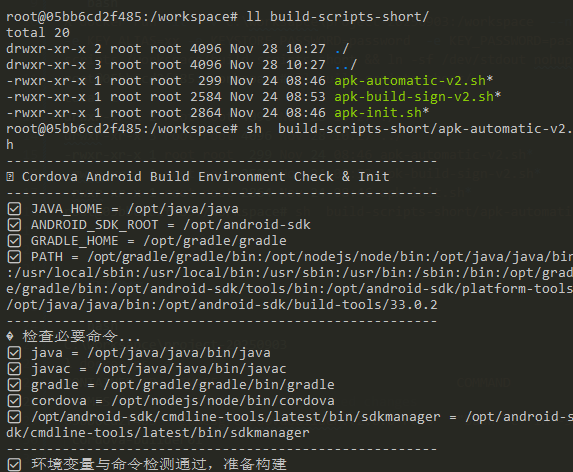
Docker Log Monitoring
C:\worksapce\project-20250903
# View logs
λ docker ps -a
CONTAINER ID   IMAGE                               COMMAND                   CREATED         STATUS         PORTS
 NAMES
05bb6cd2f485   gamesg/cordovabuilder:v2.0.0-rc.5   "bash -c 'ln -sfn /o…"   2 minutes ago   Up 2 minutes
 cordova-builder01

C:\worksapce\project-20250903
λ docker logs -f 05
root@05bb6cd2f485:/workspace# ll build-scripts-short/
total 20
drwxr-xr-x 2 root root 4096 Nov 28 10:27 ./
drwxr-xr-x 3 root root 4096 Nov 28 10:27 ../
-rwxr-xr-x 1 root root  299 Nov 24 08:46 apk-automatic-v2.sh*
-rwxr-xr-x 1 root root 2584 Nov 24 08:53 apk-build-sign-v2.sh*
-rwxr-xr-x 1 root root 2864 Nov 24 08:46 apk-init.sh*
root@05bb6cd2f485:/workspace# sh  build-scripts-short/apk-automatic-v2.sh
....
BUILD SUCCESSFUL in 2m 42s
71 actionable tasks: 71 executed
Built the following apk(s):
        /workspace/platforms/android/app/build/outputs/apk/release/app-release.apk
✅ APK signing completed: /workspace/platforms/android/app/build/outputs/apk/release/app-release.apk
------------------------------------------------------
APK signing process completed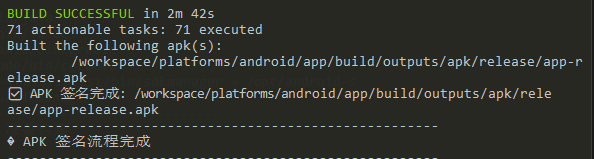
Gradle distribution address
DANGER
The distribution address for accessing your own network is: https://services.gradle.org/distributions/
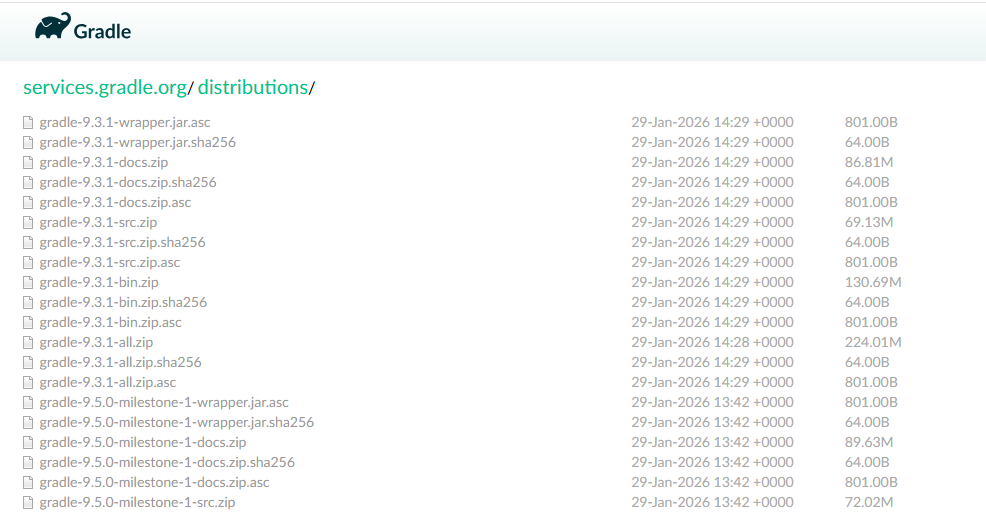
Gradle download failed (SSL handshake exception)
Subproject Path: app
Downloading https://services.gradle.org/distributions/gradle-7.6-all.zip

Exception in thread "main" javax.net.ssl.SSLHandshakeException: Remote host terminated the handshake
        at java.base/sun.security.ssl.SSLSocketImpl.handleEOF(SSLSocketImpl.java:1715)
        at java.base/sun.security.ssl.SSLSocketImpl.decode(SSLSocketImpl.java:1514)
        at java.base/sun.security.ssl.SSLSocketImpl.readHandshakeRecord(SSLSocketImpl.java:1421)
        at java.base/sun.security.ssl.SSLSocketImpl.startHandshake(SSLSocketImpl.java:455)
Gradle download and signing successful
Subproject Path: app
Downloading https://services.gradle.org/distributions/gradle-7.6-all.zip
...............10%................20%................30%................40%...............50%................60%................70%................80%...............90%................100%


BUILD SUCCESSFUL in 2m 42s
71 actionable tasks: 71 executed
Built the following apk(s):
        /workspace/platforms/android/app/build/outputs/apk/release/app-release.apk
✅ APK signing completed: /workspace/platforms/android/app/build/outputs/apk/release/app-release.apk
------------------------------------------------------
APK signing process completed
Gradle Cache
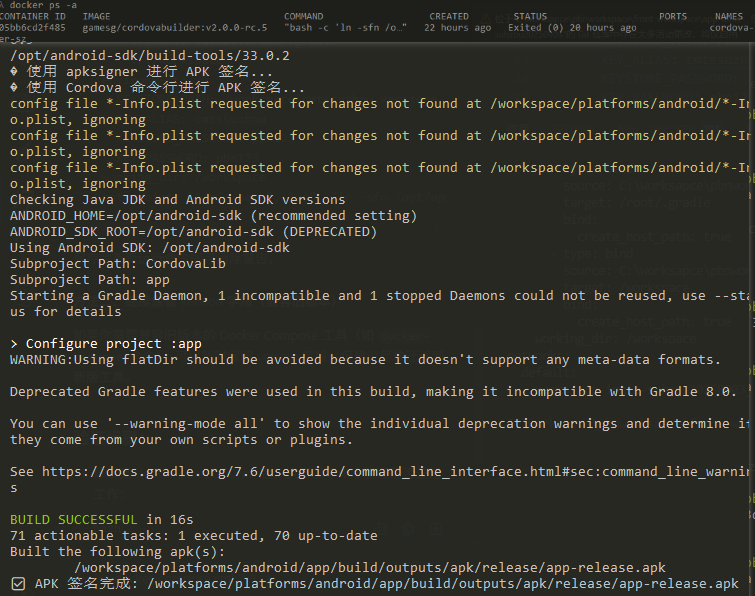
It can't be downloaded and copied
-v C:\worksapce\project-20250903\gradle-caches:/root/.gradle
Secondary construction, no need to download again
Execution failed for task ':app:mergeReleaseResources'.
Note: Recompile with -Xlint:deprecation for details.

> Task :app:mergeReleaseResources FAILED

FAILURE: Build failed with an exception.

* What went wrong:
Execution failed for task ':app:mergeReleaseResources'.
> A failure occurred while executing com.android.build.gradle.internal.res.ResourceCompilerRunnable
   > Resource compilation failed (Failed to compile resource file: /workspace/platforms/android/app/src/main/res/xml/config.xml: . Cause: javax.xml.stream.XMLStreamException: ParseError at [row,col]:[37,60]
     Message: http://www.w3.org/TR/1999/REC-xml-names-19990114#AttributePrefixUnbound?application&android:usesCleartextTraffic&android). Check logs for more details.

* Try:
> Run with --stacktrace option to get the stack trace.
> Run with --info or --debug option to get more log output.
> Run with --scan to get full insights.

* Get more help at https://help.gradle.org

Deprecated Gradle features were used in this build, making it incompatible with Gradle 8.0.

You can use '--warning-mode all' to show the individual deprecation warnings and determine if they come from your own scripts or plugins.

See https://docs.gradle.org/7.6/userguide/command_line_interface.html#sec:command_line_warnings

BUILD FAILED in 26s
47 actionable tasks: 47 executed
Command failed with exit code 1: /workspace/platforms/android/gradlew -b /workspace/platforms/android/build.gradle cdvBuildRelease
This error message indicates that your Android compilation has failed. The core reason lies in an XML syntax error in your config.xml file, which prevents the compiler from recognizing certain attributes.
The specific reasons and solutions are as follows:
- Core reason: Unbound namespace (AttributePrefixUnbound)
The error message mentioned: AttributePrefixUnbound?application&android:usesCleartextTraffic&android
This usually means that you have used attributes with the android: prefix (such as android:usesCleartextTraffic) in config.xml (or the ultimately generated AndroidManifest.xml), but you have not declared the Android namespace at the root node of the file.
- Solution
Please check your /workspace/platforms/android/app/src/main/res/xml/config.xml file (or the config.xml file located in the root directory of the Cordova project).
Step A: Check the root node declaration
Ensure that your <widget> or <edit-config> tag includes a definition for xmlns:android. It should look like this:
<widget id="com.example.app" ...
    xmlns:android="http://schemas.android.com/apk/res/android">
    ```

 Step B: Check the syntax of `edit-config`
If you have modified the configuration to enable HTTP cleartext traffic, the correct syntax is usually as follows:

```xml
<edit-config file="app/src/main/AndroidManifest.xml" mode="merge" target="/manifest/application">
    <application android:usesCleartextTraffic="true" />
</edit-config>
Note: If you use android: within the <application> tag, you must add xmlns:android="http://schemas.android.com/apk/res/android" to the <widget> tag at the top of config.xml.
Investigation suggestions
- Check line 37: The error message points to
[row,col]:[37,60]. Go and check that line to see if there is anandroid:xxxxattribute without any corresponding namespace definition around it. - Clear Cache: After fixing the code, it is recommended to run the following command to recompile:bash
cordova clean android
cordova build android --release